{"name":"@sentry-internal/replay","version":"8.0.0-beta.4","author":{"name":"Sentry"},"license":"MIT","_id":"@sentry-internal/replay@8.0.0-beta.4","homepage":"https://docs.sentry.io/platforms/javascript/session-replay/","bugs":{"url":"https://github.com/getsentry/sentry-javascript/issues"},"dist":{"shasum":"79c7599c6ecd7fece281e9a9c41020ac302435eb","tarball":"http://registry-npm.ywwl.com/@sentry-internal/replay/download/@sentry-internal/replay-8.0.0-beta.4.tgz","fileCount":221,"integrity":"sha512-IsEwMIzhBVckjpW7lRr4AKZunmnTFa2oeB7CFWTbMwIbgB36Kjnvs0ExKckZs+i2HIzWUcxG86L3tJSr6AowrQ==","signatures":[{"sig":"MEUCIQCHq/G2ofSEC6Ee2WmgeL9UkHFE6pogNSKxyKj/eq6BfQIgGSWW8e5CR8//Dy9aQS6kcJcQ3dSn0rKMB4gXJJbhm68=","keyid":"SHA256:jl3bwswu80PjjokCgh0o2w5c2U4LhQAE57gj9cz1kzA"}],"unpackedSize":3662237,"size":517583,"noattachment":false,"key":"/@sentry-internal/replay/-/@sentry-internal/replay-8.0.0-beta.4.tgz"},"main":"cjs/index.js","_from":"file:/tmp/craft-DQiozX/sentry-internal-replay-8.0.0-beta.4.tgz","types":"types/index.d.ts","module":"esm/index.js","engines":{"node":">=14.18"},"exports":{".":{"import":{"types":"./types/index.d.ts","default":"./esm/index.js"},"require":{"types":"./types/index.d.ts","default":"./cjs/index.js"}},"./package.json":"./package.json"},"_npmUser":{"name":"sentry-bot","email":"accounts@sentry.io"},"_resolved":"/tmp/craft-DQiozX/sentry-internal-replay-8.0.0-beta.4.tgz","_integrity":"sha512-IsEwMIzhBVckjpW7lRr4AKZunmnTFa2oeB7CFWTbMwIbgB36Kjnvs0ExKckZs+i2HIzWUcxG86L3tJSr6AowrQ==","repository":{"url":"git+https://github.com/getsentry/sentry-javascript.git","type":"git"},"_npmVersion":"10.5.0","description":"User replays for Sentry","directories":{},"sideEffects":false,"_nodeVersion":"20.12.2","dependencies":{"@sentry/core":"8.0.0-beta.4","@sentry/types":"8.0.0-beta.4","@sentry/utils":"8.0.0-beta.4","@sentry-internal/browser-utils":"8.0.0-beta.4"},"publishConfig":{"access":"public"},"typesVersions":{"<4.9":{"types/index.d.ts":["types-ts3.8/index.d.ts"]}},"_hasShrinkwrap":false,"readmeFilename":"README.md","devDependencies":{"fflate":"^0.8.1","@babel/core":"^7.17.5","jsdom-worker":"^0.2.1","@sentry-internal/rrweb":"2.15.0","@sentry-internal/replay-worker":"8.0.0-beta.4","@sentry-internal/rrweb-snapshot":"2.15.0"},"_npmOperationalInternal":{"tmp":"tmp/replay_8.0.0-beta.4_1713971611972_0.4572115900861582","host":"s3://npm-registry-packages"},"readme":"
\n\n# Sentry Session Replay\n\n[](https://www.npmjs.com/package/@sentry-internal/replay)\n[](https://www.npmjs.com/package/@sentry-internal/replay)\n[](https://www.npmjs.com/package/@sentry-internal/replay)\n\nThis is an internal package that is being re-exported in `@sentry/browser` and other browser-related SDKs like\n`@sentry/react` or `@sentry/vue`.\n\n## Pre-requisites\n\n`@sentry-internal/replay` requires Node 14+, and browsers newer than IE11.\n\n## Installation\n\nReplay can be imported from `@sentry/browser`, or a respective SDK package like `@sentry/react` or `@sentry/vue`. You\ndon't need to install anything in order to use Session Replay. The minimum version that includes Replay is 7.27.0.\n\nFor details on using Replay when using Sentry via the CDN bundles, see [CDN bundle](#loading-replay-as-a-cdn-bundle).\n\n## Setup\n\nTo set up the integration, add the following to your Sentry initialization. Several options are supported and passable\nvia the integration constructor. See the [configuration section](#configuration) below for more details.\n\n```javascript\nimport * as Sentry from '@sentry/browser';\n// or e.g. import * as Sentry from '@sentry/react';\n\nSentry.init({\n dsn: '__DSN__',\n\n // This sets the sample rate to be 10%. You may want this to be 100% while\n // in development and sample at a lower rate in production\n replaysSessionSampleRate: 0.1,\n\n // If the entire session is not sampled, use the below sample rate to sample\n // sessions when an error occurs.\n replaysOnErrorSampleRate: 1.0,\n\n integrations: [\n Sentry.replayIntegration({\n // Additional SDK configuration goes in here, for example:\n maskAllText: true,\n blockAllMedia: true,\n // See below for all available options\n }),\n ],\n // ...\n});\n```\n\n### Lazy loading Replay\n\nReplay will start automatically when you add the integration. If you do not want to start Replay immediately (e.g. if\nyou want to lazy-load it), you can also use `addIntegration` to load it later:\n\n```js\nimport * as Sentry from \"@sentry/react\";\nimport { BrowserClient } from \"@sentry/browser\";\n\nSentry.init({\n // Do not load it initially\n integrations: []\n});\n\n// Sometime later\nconst { Replay } = await import('@sentry/browser');\nconst client = Sentry.getClient();\n\n// Client can be undefined\nclient?.addIntegration(Sentry.replayIntegration());\n```\n\n### Identifying Users\n\nIf you have only followed the above instructions to setup session replays, you will only see IP addresses in Sentry's\nUI. In order to associate a user identity to a session replay, use\n[`setUser`](https://docs.sentry.io/platforms/javascript/enriching-events/identify-user/).\n\n```javascript\nimport * as Sentry from '@sentry/browser';\n\nSentry.setUser({ email: 'jane.doe@example.com' });\n```\n\n### Stopping & starting Replays manually\n\nReplay recording only starts when it is included in the `integrations` array when calling `Sentry.init` or calling\n`addIntegration` from the a Sentry client instance. To stop recording you can call `stop()`.\n\n```js\nimport * as Sentry from \"@sentry/react\";\nimport { BrowserClient } from \"@sentry/browser\";\n\nconst replay = Sentry.replayIntegration();\n\nSentry.init({\n integrations: [replay]\n});\n\nconst client = Sentry.getClient();\n\n// Add replay integration, will start recoring\nclient?.addIntegration(replay);\n\n// Stop recording\nreplay.stop();\n```\n\nWhen both `replaysSessionSampleRate` and `replaysOnErrorSampleRate` are `0`, recording will _not_ start. In this case,\nyou can manually start recording:\n\n```js\nreplay.start(); // Will start a session in \"session\" mode, regardless of sample rates\nreplay.startBuffering(); // Will start a session in \"buffer\" mode, regardless of sample rates\n```\n\n## Loading Replay as a CDN Bundle\n\nAs an alternative to the NPM package, you can use Replay as a CDN bundle. Please refer to the\n[Session Replay installation guide](https://docs.sentry.io/platforms/javascript/session-replay/#install) for CDN bundle\ninstructions.\n\n\nDeprecated Replay integration bundle\nInstalling the replay integration as a secondary integration bundle to the SDK bundle was deprecated in favour of\ncomplete CDN bundles that already contain the replay integration. No need to keep two bundles in sync anymore.\nThe `replay.(min.)js` bundle will be removed in v8 of the JS SDKs.\n\n```html\n\n\n```\n\n\n\n## Sessions\n\nA session starts when the Session Replay SDK is first loaded and initialized. The session will continue until 5 minutes\npasses without any user interactions[^1] with the application _OR_ until a maximum of 30 minutes have elapsed. Closing\nthe browser tab will end the session immediately according to the rules for\n[SessionStorage](https://developer.mozilla.org/en-US/docs/Web/API/Window/sessionStorage).\n\n[^1]: An 'interaction' refers to either a mouse click or a browser navigation event.\n\n### Accessing the Replay Session ID\n\nYou can get the ID of the currently running session via `replay.getReplayId()`. This will return `undefined` if no\nsession is ongoing.\n\n### Replay Captures Only on Errors\n\nAlternatively, rather than recording an entire session, you can capture a replay only when an error occurs. In this\ncase, the integration will buffer up to one minute worth of events prior to the error being thrown. It will continue to\nrecord the session following the rules above regarding session life and activity. Read the [sampling](#Sampling) section\nfor configuration options.\n\n## Sampling\n\nSampling allows you to control how much of your website's traffic will result in a Session Replay. There are two sample\nrates you can adjust to get the replays more relevant to your interests:\n\n- `replaysSessionSampleRate` - The sample rate for replays that begin recording immediately and last the entirety of the\n user's session.\n- `replaysOnErrorSampleRate` - The sample rate for replays that are recorded when an error happens. This type of replay\n will record up to a minute of events prior to the error and continue recording until the session ends.\n\nWhen Replay is initialized, we check the `replaysSessionSampleRate`. If it is sampled, then we start recording & sending\nReplay data immediately. Else, if `replaysOnErrorSampleRate > 0`, we'll start recording in buffering mode. In this mode,\nwhenever an error occurs we'll check `replaysOnErrorSampleRate`. If it is sampled, when we'll upload the Replay to\nSentry and continue recording normally.\n\n## Configuration\n\n### SDK Configuration\n\nThe following options can be configured on the root level of your browser-based Sentry SDK, in `init({})`:\n\n| key | type | default | description |\n| ------------------------ | ------ | ------- | --------------------------------------------------------------------------------------------------------------------------------------------------------------------------------------------------------------------------------------------------------------- |\n| replaysSessionSampleRate | number | `0` | The sample rate for replays that begin recording immediately and last the entirety of the user's session. 1.0 will collect all replays, 0 will collect no replays. |\n| replaysOnErrorSampleRate | number | `0` | The sample rate for replays that are recorded when an error happens. This type of replay will record up to a minute of events prior to the error and continue recording until the session ends. 1.0 capturing all sessions with an error, and 0 capturing none. |\n\n### General Integration Configuration\n\nThe following options can be configured as options to the integration, in `Sentry.replayIntegration({})`:\n\n| key | type | default | description |\n| ------------- | ------- | ------- | --------------------------------------------------------------------------------------------------------------------------------------------------------------------------------- |\n| stickySession | boolean | `true` | Keep track of the user across page loads. Note a single user using multiple tabs will result in multiple sessions. Closing a tab will result in the session being closed as well. |\n\n### Privacy Configuration\n\nThe following options can be configured as options to the integration, in `Sentry.replayIntegration({})`:\n\n| key | type | default | description |\n| ------------- | ------------------------ | -------------------------------------- | -------------------------------------------------------------------------------------------------------------------------------------------- |\n| maskAllText | boolean | `true` | Mask _all_ text content. Will pass text content through `maskFn` before sending to server. |\n| maskAllInputs | boolean | `true` | Mask values of `` elements. Passes input values through `maskInputFn` before sending to server. |\n| blockAllMedia | boolean | `true` | Block _all_ media elements (`img, svg, video, object, picture, embed, map, audio`) |\n| maskFn | (text: string) => string | `(text) => '*'.repeat(text.length)` | Function to customize how text content is masked before sending to server. By default, masks text with `*`. |\n| block | Array | `.sentry-block, [data-sentry-block]` | Redact any elements that match the DOM selectors. See [privacy](#blocking) section for an example. |\n| unblock | Array | [] | Do not redact any elements that match the DOM selectors. Useful when using `blockAllMedia`. See [privacy](#blocking) section for an example. |\n| mask | Array | `.sentry-mask, [data-sentry-mask]` | Mask all elements that match the given DOM selectors. See [privacy](#masking) section for an example. |\n| unmask | Array | [] | Unmask all elements that match the given DOM selectors. Useful when using `maskAllText`. See [privacy](#masking) section for an example. |\n| ignore | Array | `.sentry-ignore, [data-sentry-ignore]` | Ignores all events on the matching input fields. See [privacy](#ignoring) section for an example. |\n\n## Privacy\n\nThere are several ways to deal with PII. By default, the integration will mask all text content with `*` and block all\nmedia elements (`img, svg, video, object, picture, embed, map, audio`). This can be disabled by setting `maskAllText` to\n`false`. It is also possible to add the following CSS classes to specific DOM elements to prevent recording its\ncontents: `sentry-block`, `sentry-ignore`, and `sentry-mask`. The following sections will show examples of how content\nis handled by the differing methods.\n\n### Masking\n\nMasking replaces the text content with something else. The default masking behavior is to replace each character with a\n`*`. In this example the relevant html code is: `
...
`.\n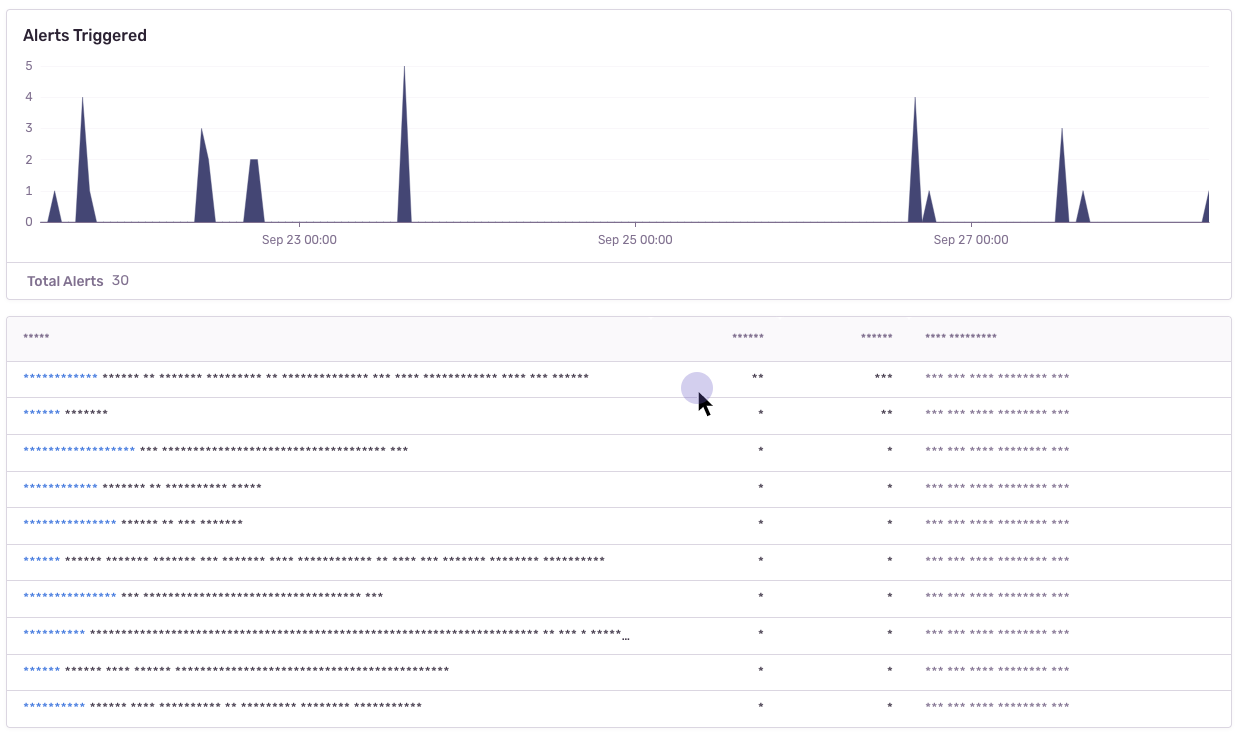\n\n### Blocking\n\nBlocking replaces the element with a placeholder that has the same dimensions. The recording will show an empty space\nwhere the content was. In this example the relevant html code is: `
...
`.\n\n\n### Ignoring\n\nIgnoring only applies to form inputs. Events will be ignored on the input element so that the replay does not show what\noccurs inside of the input. In the below example, notice how the results in the table below the input changes, but no\ntext is visible in the input.\n\nhttps://user-images.githubusercontent.com/79684/192815134-a6451c3f-d3cb-455f-a699-7c3fe04d0a2e.mov\n\n## Error Linking\n\nCurrently, errors that happen on the page while a replay is running are linked to the Replay, making it as easy as\npossible to jump between related issues/replays. However, please note that it is _possible_ that the error count\nreported on the Replay Detail page does not match the actual errors that have been captured. The reason for that is that\nerrors _can_ be lost, e.g. a network request fails, or similar. This should not happen to often, but be aware that it is\ntheoretically possible.\n\n## Manually sending replay data\n\nYou can use `replay.flush()` to immediately send all currently captured replay data. When Replay is currently in\nbuffering mode, this will send up to the last 60 seconds of replay data, and also continue sending afterwards, similar\nto when an error happens & is recorded.\n","publish_time":1713971612164,"maintainers":[{"name":"haza","email":"daniel.griesser.86@gmail.com"},{"name":"sentry-bot","email":"accounts@sentry.io"},{"name":"mitsuhiko","email":"armin.ronacher@active-4.com"},{"name":"zeeg","email":"dcramer@gmail.com"},{"name":"leedongwei","email":"danny@dongwei.li"},{"name":"evanpurkhiser","email":"evanpurkhiser@gmail.com"},{"name":"billyvg","email":"npm@mmo.me"},{"name":"jauer","email":"account@jauer.org"},{"name":"markstory","email":"mark@mark-story.com"}],"_cnpm_publish_time":1713971612164,"dist-tags":{"latest":"10.57.0","next":"10.50.0-alpha.0","v8":"8.55.2","v9":"9.47.2"}}
 \n \n