.report.html`\n\nlighthouse --output-path=~/mydir/foo.out --save-assets\n# saves `~/mydir/foo.report.html`\n# saves `~/mydir/foo-0.trace.json` and `~/mydir/foo-0.screenshots.html`\n\nlighthouse --output-path=./report.json --output json\n# saves `./report.json`\n```\n\n##### Lifecycle Examples\nYou can run a subset of Lighthouse's lifecycle if desired via the `--gather-mode` (`-G`) and `--audit-mode` (`-A`) CLI flags.\n\n```sh\nlighthouse -G http://example.com\n# launches browser, collects artifacts, saves them to disk (in `./latest-run/`) and quits\n\nlighthouse -A http://example.com\n# skips browser interaction, loads artifacts from disk (in `./latest-run/`), runs audits on them, generates report\n\nlighthouse -GA http://example.com\n# Normal gather + audit run, but also saves collected artifacts to disk for subsequent -A runs.\n\n\n# You can optionally provide a custom folder destination to -G/-A/-GA. Without a value, the default will be `$PWD/latest-run`.\nlighthouse -GA=./gmailartifacts https://gmail.com\n```\n\n\n#### Notes on Error Reporting\n\nThe first time you run the CLI you will be prompted with a message asking you if Lighthouse can anonymously report runtime exceptions. The Lighthouse team uses this information to detect new bugs and avoid regressions. Opting out will not affect your ability to use Lighthouse in any way. [Learn more](https://github.com/GoogleChrome/lighthouse/blob/master/docs/error-reporting.md).\n\n## Viewing a report\n\nLighthouse can produce a report as JSON or HTML.\n\nHTML report:\n\n\n\n### Online Viewer\n\nRunning Lighthouse with the `--output=json` flag generates a json dump of the run.\nYou can view this report online by visiting \nand dragging the file onto the app. You can also use the \"Export\" button from the\ntop of any Lighthouse HTML report and open the report in the\n[Lighthouse Viewer](https://googlechrome.github.io/lighthouse/viewer/).\n\nIn the Viewer, reports can be shared by clicking the share icon in the top\nright corner and signing in to GitHub.\n\n> **Note**: shared reports are stashed as a secret Gist in GitHub, under your account.\n\n## Docs & Recipes\n\nUseful documentation, examples, and recipes to get you started.\n\n**Docs**\n\n- [Using Lighthouse programmatically](./docs/readme.md#using-programmatically)\n- [Testing a site with authentication](./docs/readme.md#testing-on-a-site-with-authentication)\n- [Testing on a mobile device](./docs/readme.md#testing-on-a-mobile-device)\n- [Lighthouse Architecture](./docs/architecture.md)\n\n**Recipes**\n\n- [gulp](docs/recipes/gulp) - helpful for CI integration\n- [Custom Audit example](./docs/recipes/custom-audit) - extend Lighthouse, run your own audits\n\n**Videos**\n\nThe session from Google I/O 2017 covers architecture, writing custom audits,\nGitHub/Travis/CI integration, headless Chrome, and more:\n\n[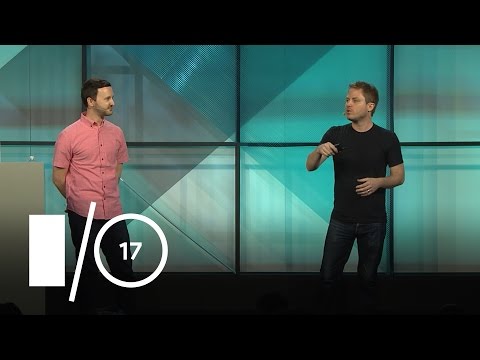](https://www.youtube.com/watch?v=NoRYn6gOtVo)\n\n_click to watch the video_\n\n## Develop\n\nRead on for the basics of hacking on Lighthouse. Also see [Contributing](./CONTRIBUTING.md)\nfor detailed information.\n\n### Setup\n\n```sh\n# yarn should be installed first\n\ngit clone https://github.com/GoogleChrome/lighthouse\n\ncd lighthouse\nyarn\nyarn install-all\nyarn build-all\n```\n\n### Run\n\n```sh\nnode lighthouse-cli http://example.com\n```\n\n> **Getting started tip**: `node --inspect --debug-brk lighthouse-cli http://example.com` to open up Chrome DevTools and step\nthrough the entire app. See [Debugging Node.js with Chrome\nDevTools](https://medium.com/@paul_irish/debugging-node-js-nightlies-with-chrome-devtools-7c4a1b95ae27#.59rma3ukm)\nfor more info.\n\n### Tests\n\n```sh\n# lint and test all files\nyarn test\n\n# watch for file changes and run tests\n# Requires http://entrproject.org : brew install entr\nyarn watch\n\n## run linting, unit, and smoke tests separately\nyarn lint\nyarn unit\nyarn smoke\n\n## run closure compiler (on whitelisted files)\nyarn closure\n## import your report renderer into devtools-frontend and run devtools closure compiler\nyarn compile-devtools\n```\n\n## Lighthouse Integrations\nThis section details projects that have integrated Lighthouse. If you're working on a cool project integrating Lighthouse and would like to be featured here, file an issue to this repo or tweet at us [@_____lighthouse](https://twitter.com/____lighthouse?lang=en)\n\n* **[Calibre](https://calibreapp.com)** - Calibre is a web performance monitoring tool running Lighthouse continuously or on-demand via an API. Test using emulated devices and connection speeds from a number of geographical locations. Set budgets and improve performance with actionable guidelines. Calibre comes with a free 14-day trial.\n\n* **[HTTPArchive](http://httparchive.org/)** - HTTPArchive tracks how the web is built by crawling 500k pages with Web Page Test, including Lighthouse results, and stores the information in BigQuery where it is [publicly available](https://discuss.httparchive.org/t/quickstart-guide-to-exploring-the-http-archive/682).\n\n* **[Treo](https://treo.sh)** - Treo is Lighthouse as a Service. It provides regression testing, geographical regions, custom networks, and integrations with GitHub & Slack. Treo is a paid product with plans for solo-developers and teams.\n\n* **[Web Page Test](https://www.webpagetest.org)** — An [open source](https://github.com/WPO-Foundation/webpagetest) tool for measuring and analyzing the performance of web pages on real devices. Users can choose to produce a Lighthouse report alongside the analysis of WebPageTest results.\n\n## Related Projects\n\n* **[webpack-lighthouse-plugin](https://github.com/addyosmani/webpack-lighthouse-plugin)** - run Lighthouse from a Webpack build.\n* **[lighthouse-mocha-example](https://github.com/justinribeiro/lighthouse-mocha-example)** - gather performance metrics via Lighthouse and tests them in Mocha\n* **[pwmetrics](https://github.com/paulirish/pwmetrics/)** - gather performance metrics\n* **[lighthouse-hue](https://github.com/ebidel/lighthouse-hue)** - set the color of Philips Hue lights based on a Lighthouse score\n * **[lighthouse-magic-light](https://github.com/manekinekko/lighthouse-magic-light)** set the color of the MagicLight Bluetooth Smart Light Bulb based on Lighthouse score\n* **[lighthouse-batch](https://www.npmjs.com/package/lighthouse-batch)** - run Lighthouse over a number of sites and generate a summary of their metrics/scores.\n* **[lighthouse-cron](https://github.com/thearegee/lighthouse-cron)** - Cron multiple batch Lighthouse audits and emit results for sending to remote server.\n* **[lightcrawler](https://github.com/github/lightcrawler)** - Crawl a website and run each page found through Lighthouse.\n* **[lighthouse-lambda](https://github.com/joytocode/lighthouse-lambda)** - Run Lighthouse on AWS Lambda with prebuilt stable desktop Headless Chrome.\n\n## FAQ\n\n### How does Lighthouse work?\n\nSee [Lighthouse Architecture](./docs/architecture.md).\n\n### Can I configure the lighthouse run?\n\nYes! Details in [Lighthouse configuration](./docs/configuration.md).\n\n### How does Lighthouse use network throttling, and how can I make it better?\n\nGood question. Network and CPU throttling are applied by default in a Lighthouse run. The network\nattempts to emulate 3G and the CPU is slowed down 4x from your machine's default speed. If you\nprefer to run Lighthouse without throttling, you'll have to use the CLI and disable it with the\n`--disable-*` flags mentioned above.\n\nRead more in our [guide to network throttling](./docs/throttling.md).\n\n### Are results sent to a remote server?\n\nNope. Lighthouse runs locally, auditing a page using a local version of the Chrome browser installed the\nmachine. Report results are never processed or beaconed to a remote server.\n\n### How do I author custom audits to extend Lighthouse?\n\n> **Tip**: see [Lighthouse Architecture](./docs/architecture.md) for more information\non terminology and architecture.\n\nLighthouse can be extended to run custom audits and gatherers that you author.\nThis is great if you're already tracking performance metrics in your site and\nwant to surface those metrics within a Lighthouse report.\n\nIf you're interested in running your own custom audits, check out our\n[Custom Audit Example](./docs/recipes/custom-audit) over in recipes.\n\n### How do I contribute?\n\nWe'd love help writing audits, fixing bugs, and making the tool more useful!\nSee [Contributing](./CONTRIBUTING.md) to get started.\n\n---\n\n\n  \n
\n Lighthouse, ˈlītˌhous (n): a tower or other structure tool containing a beacon light\n to warn or guide ships at sea developers.\n
\n","engines":{"node":">=8.9"},"gitHead":"632eb32688cf3fd0b2dd0158a712fd1d12ddd021","scripts":{"fast":"yarn start --disable-device-emulation --throttlingMethod=provided","lint":"[ \"$CI\" = true ] && eslint --quiet -f codeframe . || eslint .","test":"yarn lint --quiet && yarn unit && yarn type-check && yarn closure && yarn diff:sample-json","unit":"yarn unit-core && yarn unit-cli && yarn unit-viewer","clean":"rimraf *.report.html *.report.dom.html *.report.json *.screenshots.html *.screenshots.json *.devtoolslog.json *.trace.json || true","debug":"node --inspect-brk ./lighthouse-cli/index.js","smoke":"node lighthouse-cli/test/smokehouse/run-smoke.js","start":"node ./lighthouse-cli/index.js","watch":"yarn unit-core --watch","chrome":"node lighthouse-core/scripts/manual-chrome-launcher.js","closure":"cd lighthouse-core && node closure/closure-type-checking.js","codecov":"codecov -f unit-coverage.lcov -F unit && codecov -f smoke-coverage.lcov -F smoke","cli-unit":"yarn unit-cli","coverage":"nyc yarn unit && nyc report --reporter html","devtools":"bash lighthouse-core/scripts/roll-to-devtools.sh","unit-cli":"mocha --reporter dot \"lighthouse-cli/test/**/*-test.js\"","build-all":"npm-run-posix-or-windows build-all:task","changelog":"conventional-changelog --config ./build/changelog-generator/index.js --infile changelog.md --same-file","core-unit":"yarn unit-core","coveralls":"cat unit-coverage.lcov | coveralls","unit-core":"mocha --reporter dot \"lighthouse-core/test/**/*-test.js\"","bundlesize":"bundlesize","smokehouse":"node lighthouse-cli/test/smokehouse/smokehouse.js","type-check":"tsc -p .","install-all":"npm-run-posix-or-windows install-all:task","plots-smoke":"bash plots/test/smoke.sh","test-viewer":"cd lighthouse-viewer && yarn pptr-test","unit-viewer":"mocha --reporter dot \"lighthouse-viewer/test/**/*-test.js\"","viewer-unit":"yarn unit-viewer","build-viewer":"cd ./lighthouse-viewer && yarn build","deploy-viewer":"cd lighthouse-viewer && gulp deploy","mixed-content":"./lighthouse-cli/index.js --chrome-flags='--headless' --config-path=./lighthouse-core/config/mixed-content.js","build-all:task":"yarn build-extension & yarn build-viewer & wait","coverage:smoke":"nyc yarn smoke && nyc report --reporter html","install-viewer":"cd ./lighthouse-viewer && yarn install","test-extension":"cd lighthouse-extension && yarn test","build-extension":"cd ./lighthouse-extension && yarn build","compile-devtools":"bash lighthouse-core/scripts/compile-against-devtools.sh","diff:sample-json":"bash lighthouse-core/scripts/assert-golden-lhr-unchanged.sh","install-all:task":"yarn & yarn install-extension & yarn install-viewer & wait","install-extension":"cd ./lighthouse-extension && yarn install","update:sample-json":"node ./lighthouse-cli -A=./lighthouse-core/test/results/artifacts --throttling-method=devtools --output=json --output-path=./lighthouse-core/test/results/sample_v2.json http://localhost/dobetterweb/dbw_tester.html && node lighthouse-core/scripts/cleanup-LHR-for-diff.js ./lighthouse-core/test/results/sample_v2.json --only-remove-timing","unit:silentcoverage":"nyc --silent yarn unit && nyc report --reporter text-lcov > unit-coverage.lcov","update:crdp-typings":"node lighthouse-core/scripts/extract-crdp-mapping.js","smoke:silentcoverage":"nyc --silent yarn smoke && nyc report --reporter text-lcov > smoke-coverage.lcov","build-all:task:windows":"yarn build-extension && yarn build-viewer","update:sample-artifacts":"node lighthouse-core/scripts/update-report-fixtures.js -G","install-all:task:windows":"yarn && yarn install-extension && yarn install-viewer"},"_npmUser":{"name":"paulirish","email":"paul.irish@gmail.com"},"bundlesize":[{"path":"./lighthouse-extension/dist/scripts/lighthouse-background.js","threshold":"426 Kb"},{"path":"./lighthouse-viewer/dist/src/viewer.js","threshold":"65 Kb"}],"repository":{"url":"git+https://github.com/GoogleChrome/lighthouse.git","type":"git"},"_npmVersion":"5.5.1","description":"Lighthouse","directories":{},"resolutions":{"chrome-launcher/@types/node":"*"},"_nodeVersion":"9.2.0","dependencies":{"ws":"3.3.2","opn":"4.0.2","raven":"^2.2.1","yargs":"3.32.0","mkdirp":"0.5.1","rimraf":"^2.6.1","semver":"^5.3.0","esprima":"^4.0.0","jpeg-js":"0.1.2","axe-core":"3.0.0-beta.2","inquirer":"^3.3.0","speedline":"1.3.3","configstore":"^3.1.1","yargs-parser":"7.0.0","robots-parser":"^2.0.1","lodash.isequal":"^4.5.0","chrome-launcher":"^0.10.2","update-notifier":"^2.1.0","http-link-header":"^0.8.0","lighthouse-logger":"^1.0.0","js-library-detector":"^4.3.1","metaviewport-parser":"0.2.0","parse-cache-control":"1.0.1","devtools-timeline-model":"1.1.6","chrome-devtools-frontend":"1.0.422034"},"_hasShrinkwrap":false,"readmeFilename":"readme.md","devDependencies":{"nyc":"^11.6.0","gulp":"^3.9.1","jsdom":"^9.12.0","mocha":"^3.2.0","sinon":"^2.3.5","eslint":"^4.19.1","codecov":"^2.2.0","zone.js":"^0.7.3","@types/ws":"^4.0.1","coveralls":"^2.11.9","gulp-util":"^3.0.7","puppeteer":"1.4.0","@types/opn":"^3.0.28","babel-core":"^6.26.0","bundlesize":"^0.14.4","commitizen":"^2.9.6","typescript":"2.9.0-dev.20180323","@types/node":"*","@types/yargs":"^8.0.2","gulp-replace":"^0.5.4","@types/chrome":"^0.0.60","@types/semver":"^5.5.0","csv-validator":"^0.0.3","@types/jpeg-js":"^0.3.0","@types/inquirer":"^0.0.35","cz-customizable":"^5.2.0","@types/configstore":"^2.1.1","postinstall-prepare":"^1.0.1","eslint-config-google":"^0.9.1","@types/lodash.isequal":"^4.5.2","@types/update-notifier":"^1.0.2","google-closure-compiler":"^20170521.0.0","npm-run-posix-or-windows":"^2.0.2","vscode-chrome-debug-core":"^3.23.8","conventional-changelog-cli":"^1.3.4","@types/css-font-loading-module":"^0.0.2"},"_npmOperationalInternal":{"tmp":"tmp/lighthouse_3.0.0-alpha.2_1526515165106_0.35299687871918817","host":"s3://npm-registry-packages"},"publish_time":1526515165228,"_cnpm_publish_time":1526515165228,"dist-tags":{"latest":"13.6.0","next":"13.6.0-dev.20261101"}} \n\n## Using the Chrome extension\n\n**Installation**: [install the extension](https://chrome.google.com/webstore/detail/lighthouse/blipmdconlkpinefehnmjammfjpmpbjk) from the Chrome Web Store.\n\n**Run it**: follow the [extension quick-start guide](https://developers.google.com/web/tools/lighthouse/#extension).\n\n## Using the Node CLI\n\n_Lighthouse requires Node 6 or later._\n\n**Installation**:\n\n```sh\nnpm install -g lighthouse\n# or use yarn:\n# yarn global add lighthouse\n```\n\n**Run it**: `lighthouse https://airhorner.com/`\n\nBy default, Lighthouse writes the report to an HTML file. You can control the output format by passing flags.\n\n### CLI options\n\n```sh\n$ lighthouse --help\n\nlighthouse