{"_id":"react-konva@19.3.2","bugs":{"url":"https://github.com/konvajs/react-konva/issues"},"dist":{"shasum":"0b1c91c3d3658395e17901118e284cf641b89072","tarball":"http://registry-npm.ywwl.com/react-konva/download/react-konva-19.3.2.tgz","fileCount":19,"integrity":"sha512-Uv0xlWoRSCByHinqs/03SFL8E28fYbe59sQ+2EJpwa1O4Zlz0+T+8DaKwlma9C2rkYwYj6j8eHD41F5oJafagg==","signatures":[{"sig":"MEQCID5zvurtIkWUIXRSdKcUGuRcc0bd0mxtppezL5kRrId4AiBlG2DTxHZygdm5Eyv8ypfPsiTF6RugssF8pDuCU2yGoA==","keyid":"SHA256:DhQ8wR5APBvFHLF/+Tc+AYvPOdTpcIDqOhxsBHRwC7U"},{"keyid":"SHA256:DhQ8wR5APBvFHLF/+Tc+AYvPOdTpcIDqOhxsBHRwC7U","sig":"MEUCIEET3kZhPQhrM03350xI1QmSPpiz6IFR11y/dJEBufnWAiEA/BanG3uA/T2Jb2SNVX5urJ1h6MNcuGHrCWL/Qb0Ge0Y="}],"unpackedSize":100539,"size":20367,"noattachment":false,"key":"/react-konva/-/react-konva-19.3.2.tgz"},"main":"lib/ReactKonva.js","name":"react-konva","module":"es/ReactKonva.js","exports":{".":{"import":{"types":"./es/ReactKonvaCore.d.ts","default":"./es/ReactKonva.js"},"require":{"types":"./lib/ReactKonvaCore.d.ts","default":"./lib/ReactKonva.js"}},"./*":"./*","./es/*":"./es/*.js","./lib/*":{"import":"./es/*.js","require":"./lib/*.js"},"./es/*.js":"./es/*.js","./lib/*.js":{"import":"./es/*.js","require":"./lib/*.js"},"./es/*.d.ts":"./es/*.d.ts","./lib/*.d.ts":"./lib/*.d.ts","./es/package.json":"./es/package.json"},"funding":[{"url":"https://www.patreon.com/lavrton","type":"patreon"},{"url":"https://opencollective.com/konva","type":"opencollective"},{"url":"https://github.com/sponsors/lavrton","type":"github"}],"gitHead":"c89132f5c9ac5a47db1c7c6b6fd1012452df2e01","license":"MIT","scripts":{"test":"npm run test:browser && npm run test:performance && npm run test:ssr && npm run test:typings","build":"node ./build.mjs","test:ui":"vitest --ui","version":"npm run build","test:ssr":"npm run build && node --no-experimental-detect-module test/11-ssr.mjs && node test/24-package-exports.mjs && node test/29-devtools.mjs","test:prod":"NODE_ENV=production vitest run","preversion":"npm test","test:debug":"HEADLESS=false vitest","test:watch":"vitest","bench:events":"node benchmarks/run.mjs","test:browser":"vitest run && npm run test:prod","test:typings":"tsc --noEmit && tsc -p test/types/tsconfig.json","test:performance":"NODE_ENV=production vitest run --config benchmarks/vitest.counts.config.mts"},"typings":"ReactKonvaCore.d.ts","version":"19.3.2","_npmUser":{"name":"lavrton","email":"lavrton@gmail.com"},"homepage":"https://konvajs.org/docs/react/index.html","keywords":["react","canvas","jsx","konva","graphics","design-editor","canvas-editor","whiteboard","transformer"],"repository":{"url":"git+ssh://git@github.com/konvajs/react-konva.git","type":"git"},"_npmVersion":"11.19.1","description":"React components for the Konva 2d canvas library. Build interactive graphics, design editors, and whiteboards with JSX.","directories":{},"maintainers":[{"name":"lavrton","email":"lavrton@gmail.com"}],"_nodeVersion":"26.8.2","dependencies":{"its-fine":"^2.1.1","scheduler":"0.28.0","react-reconciler":"0.34.0","@types/react-reconciler":"0.34.0"},"_hasShrinkwrap":false,"devDependencies":{"mobx":"^7.0.6","konva":"^10.9.0","react":"^19.3.1","vitest":"^5.0.4","react-dom":"^19.3.1","use-image":"^1.1.4","playwright":"^1.64.1","typescript":"^7.0.2","@types/react":"19.3.0","@vitest/browser":"^5.0.4","mobx-react-lite":"^5.1.0","@vitest/browser-playwright":"^5.0.4"},"peerDependencies":{"konva":"^8.0.1 || ^7.2.5 || ^9.0.0 || ^10.0.0","react":"^19.3.0","react-dom":"^19.3.0"},"_npmOperationalInternal":{"host":"s3://npm-registry-packages-npm-production","tmp":"tmp/react-konva_19.3.2_1792026175704_0.4629032035275893"},"readme":"
\n \n
\n\n# React Konva\n\n[](https://opencollective.com/konva)\n[](http://badge.fury.io/js/react-konva)\n[](https://github.com/konvajs/react-konva/actions/workflows/test.yml)\n\nReact Konva provides declarative React components for the [Konva](https://konvajs.org/) 2D canvas scene graph. Use it to build design editors, whiteboards, diagrams, annotations, and other interactive graphics.\n\nReact Konva is MIT licensed. It supports Konva shapes and events. It does not support React Native.\n\n- [React tutorial](https://konvajs.org/docs/react/index.html)\n- [Live demos](https://konvajs.org/docs/sandbox.html)\n- [Konva API](https://konvajs.org/api/Konva.html)\n- [Star the project](https://github.com/konvajs/react-konva)\n\n[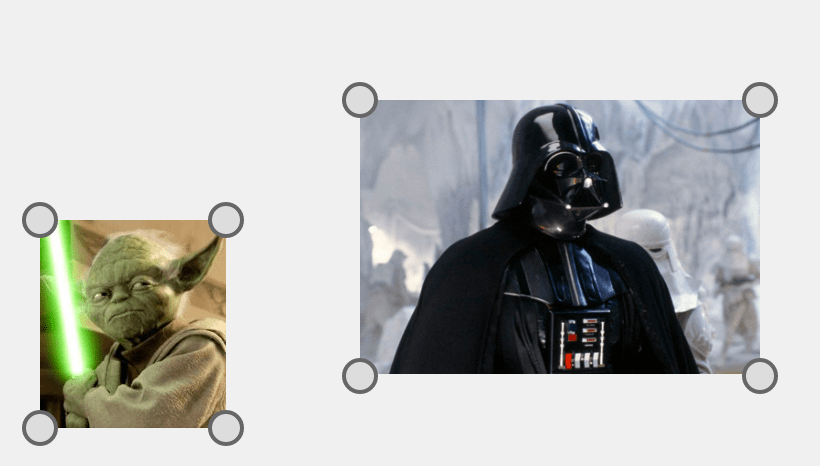](https://konvajs.org/docs/react/Transformer.html)\n\n## Install\n\nReact Konva 19.3 requires React and React DOM `^19.3.0`.\nFor React 19.2, install the latest React Konva 19.2 release.\nFor React 18, install the latest React Konva 18 release.\n\n```bash\nnpm install react-konva konva\n```\n\n## Quick example\n\n```javascript\nimport {useState} from 'react';\nimport {Stage, Layer, Rect} from 'react-konva';\n\nexport default function App() {\n const [color, setColor] = useState('#00a8e8');\n return (\n \n \n setColor(color === '#00a8e8' ? '#ff7a00' : '#00a8e8')}\n />\n \n \n );\n}\n```\n\n> **Building a full design editor?** [Polotno](https://polotno.com/?utm_source=konvajs&utm_medium=readme&utm_content=react-konva) is a commercial design editor SDK built on Konva by the Konva maintainers. It ships templates, text editing, and export, so you integrate an editor instead of building one: `npm install polotno`.\n\n`react-konva` follows the Konva API. See the [Konva overview](https://konvajs.org/docs/overview.html) for the scene graph, properties, and events.\n\n## Core API\n\n`react-konva` supports Konva shapes with the same names. Event props use React names such as `onClick`, `onTouchMove`, and `onDragEnd`.\n\n### Getting reference to Konva objects\n\nUse `ref` to access the underlying Konva node.\n\n```javascript\nimport React, { useEffect, useRef } from 'react';\nimport { Circle } from 'react-konva';\n\nconst MyShape = () => {\n const circleRef = useRef();\n\n useEffect(() => {\n // log Konva.Circle instance\n console.log(circleRef.current);\n }, []);\n\n return ;\n};\n```\n\n### React features inside Stage\n\nComponents inside `Stage` use React hooks and inherit context from the surrounding React tree.\n\n`Stage` creates a separate canvas root. Place error and Suspense boundaries inside\n`Stage`, with Konva elements as fallbacks.\n\nSee the [React compatibility matrix](docs/react-compatibility.md) for hook support and renderer limits.\n\n### Strict mode\n\nBy default, `react-konva` updates only props that change between renders.\nManual changes, such as a dragged position, persist until the corresponding prop changes.\n\nStrict mode restores all supplied props to their rendered values on each update.\nFor example, a circle with `x={0}` and `y={0}` returns to that position after a drag and a React update.\nThis mode is separate from React's `StrictMode`.\n\nTo enable strict mode globally:\n\n```javascript\nimport { useStrictMode } from 'react-konva';\n\nuseStrictMode(true);\n```\n\nTo enable strict mode for one node:\n\n```javascript\n\n```\n\n### Minimal bundle\n\nThe default package includes all Konva shapes and filters.\nFor a smaller bundle, use the core entry point and import individual shapes:\n\n```javascript\nimport { Stage, Layer, Rect } from 'react-konva/lib/ReactKonvaCore';\n\nimport 'konva/lib/shapes/Rect';\n```\n\nDemo: [https://codesandbox.io/s/6l97wny44z](https://codesandbox.io/s/6l97wny44z)\n\n## Usage with Next.js\n\nKonva 10+ works with Next.js without extra canvas setup. Use a\n[Client Component](https://nextjs.org/docs/app/api-reference/directives/use-client) (`'use client'`).\n\nKonva 9 and earlier need extra setup, such as installing `canvas` or\n[disabling SSR](https://nextjs.org/docs/app/guides/lazy-loading#skipping-ssr) for the canvas component.\n\n## Event synchronization\n\nWith Konva 10.5+, React state updates from native input commit before the event finishes.\nTo batch MobX reactions too, pass `runInAction`:\n\n```tsx\nimport { runInAction } from 'mobx';\n\n\n {/* Existing layers, shapes, and handlers */}\n\n```\n\nThe wrapper must call its callback exactly once, synchronously. Older Konva versions ignore this prop.\n\nWith Konva 10.9+, react-konva also batches Transformer updates automatically across each canvas commit.\nSee the [release notes](RELEASE_NOTES.md) for geometry timing and compatibility details.\n\n## Development and tests\n\nUse Node.js 24 LTS for development.\n\n```sh\nnpm install\nnpx playwright install chromium\nnpm test\n```\n\n`npm test` covers development and production builds, performance counts, server rendering, package exports, and types.\nSet `BROWSER=firefox` or `BROWSER=webkit` to use another installed Playwright browser.\nSee the [benchmark guide](benchmarks/README.md) for performance checks and timing comparisons.\n\n## [CHANGELOG](https://github.com/konvajs/react-konva/releases)\n","publish_time":1792026175803,"_cnpm_publish_time":1792026175803,"dist-tags":{"beta":"19.0.0-1","latest":"19.3.2","legacy":"18.2.16","next":"19.2.0-3"}}
 \n